
My Mallow - 3D Character Emotion Diary
Table of Contents
- MyMallow - Facing Your Inner Emotions
- RealityKit
- 3D Models
- Motion
- Particle
- Skybox
- Physics Simulation
- Demonstration
- Finishing
Introducing MyMallow, a 3D emotion diary where you can face your inner feelings.
👉 한국어 버전
MyMallow - Facing Your Inner Emotions
MyMallow is an iOS project conducted for two months with 4th-generation team members of the Apple Developer Academy. It is a 3D emotion diary app that allows you to personify and customize your own emotions.
Users can apply their own drawings as character textures and record desired motions for the character to follow.
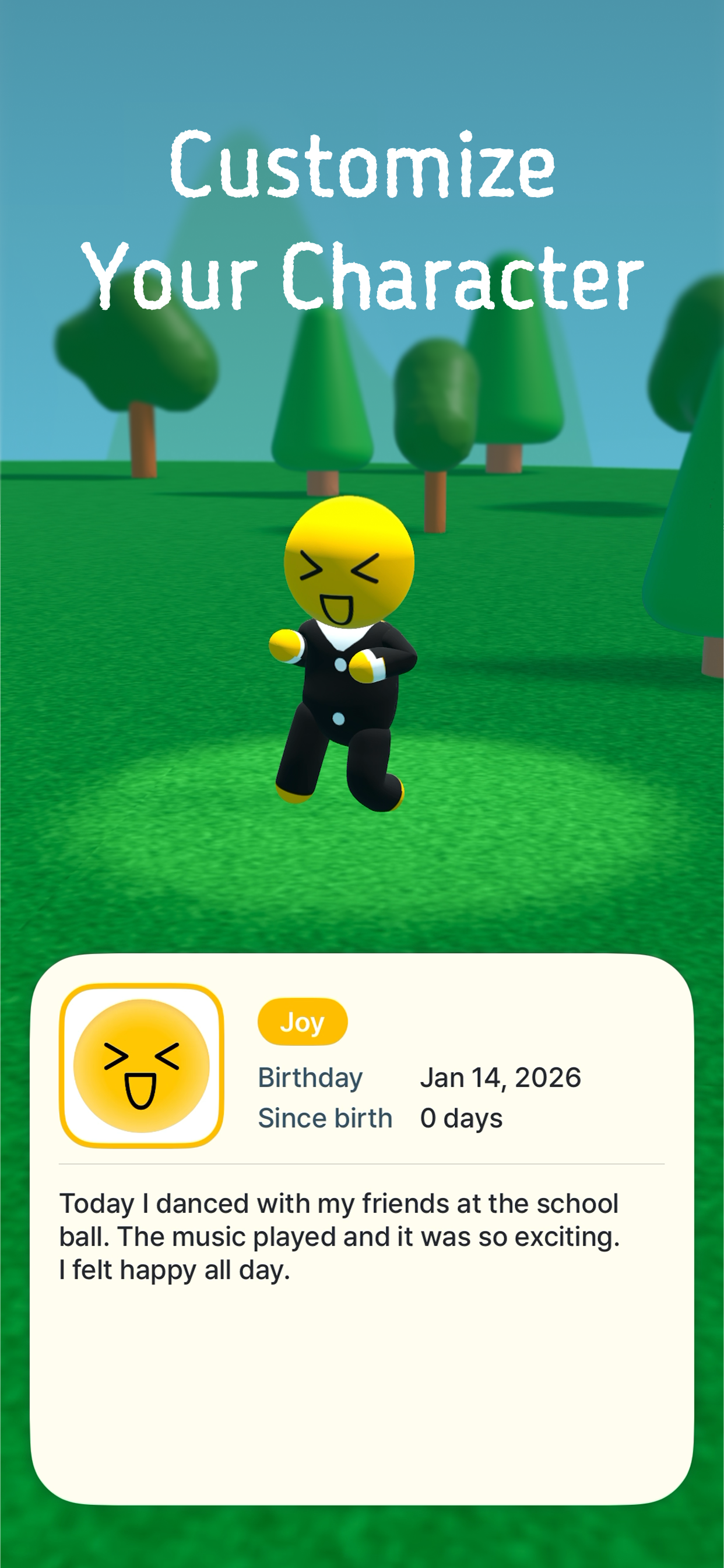 Customize your own character by drawing
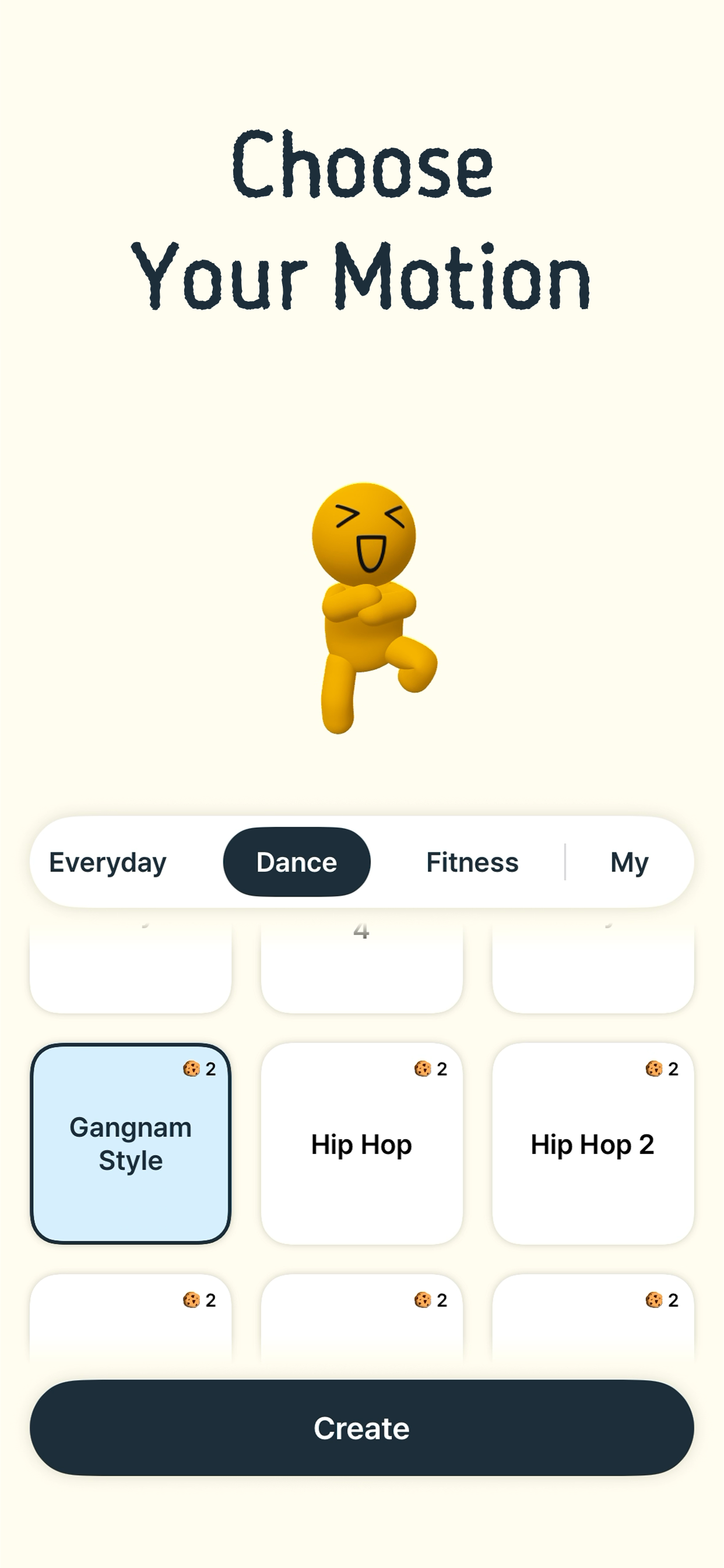 Provides 195 motions across various categories
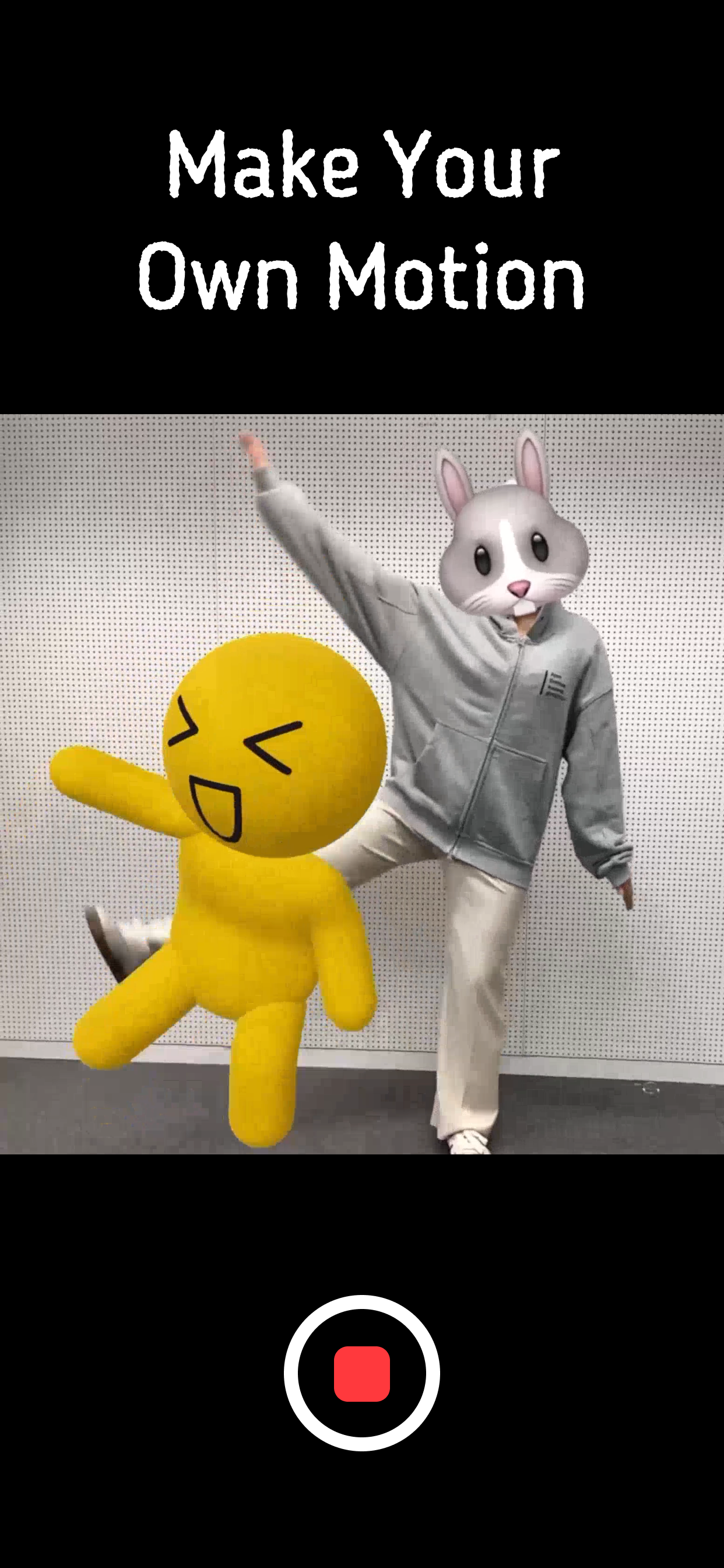 Create your own motion with motion capture
RealityKit
This project was based on RealityKit, iOS’s 3D framework.
RealityKit is Apple’s iOS framework for building 3D and augmented reality (AR) based applications.
It provides high-performance rendering, physics simulation, animation systems, and more, enabling the implementation of immersive 3D experiences.
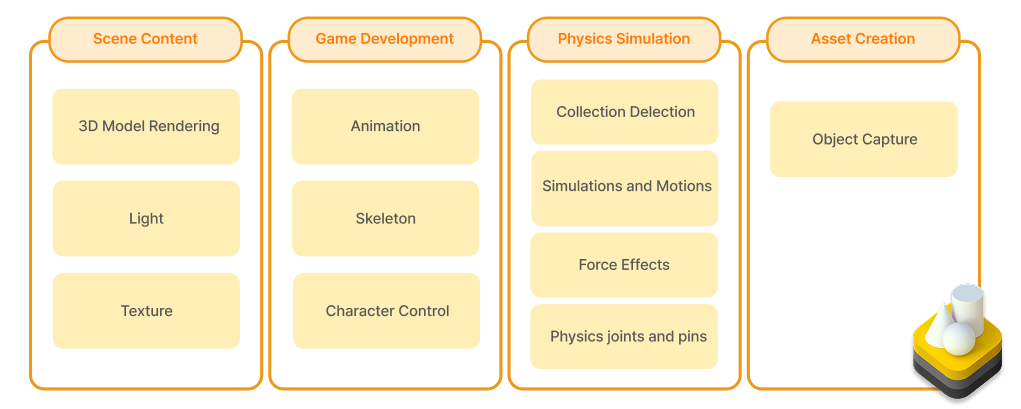 RealityKit Components
For more detailed information about RealityKit, please refer to the introduction video I produced below and the official documentation.
3D Models
We implemented 3D models using Blender and created six characters for each emotion with different facial expressions and colors.
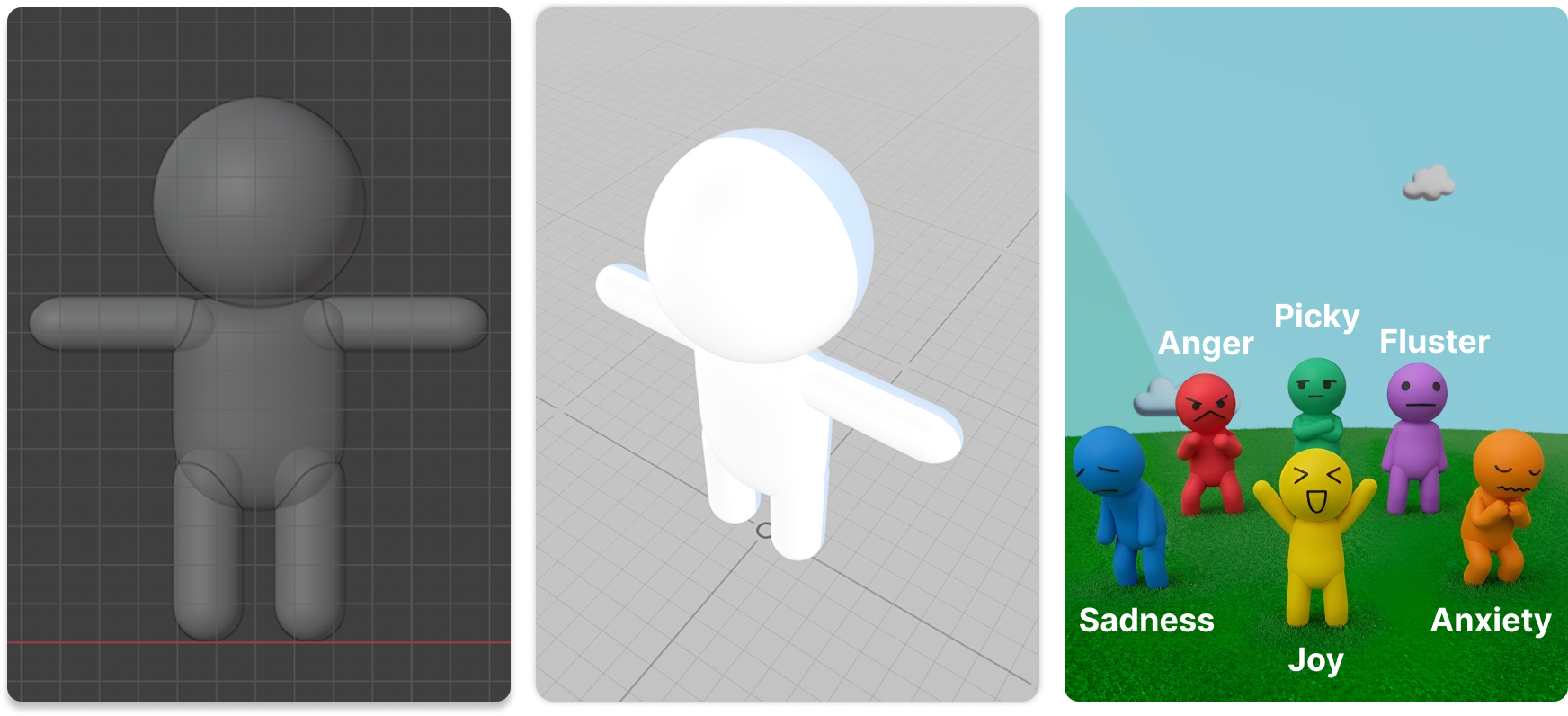 Mallow characters with the concept of 'unimportant cuteness(?)'
RealityKit supports Pixar’s Universal Scene Description format, and using USDZ files, where textures are bundled into a single binary, is convenient.
| Extension | Format Description |
|---|---|
| .usd | Pixar’s USD (Universal Scene Description) format |
| .usda | ASCII format of USD, human-readable and editable |
| .usdc | Compressed (Binary) format of USD for space savings and performance optimization |
| .usdz | A package format that bundles resources like textures into the USD format |
We used files extracted as .fbx from Blender and converted them to .usdz format using Reality Converter.
Character textures were implemented to apply drawings created directly by the user. This idea was inspired by an episode of the animation ‘Crayon Shin-chan’ where characters drawn as pictures come to life.
RealityKit natively supports physically-based rendering, and it is possible to apply textures by changing the material of 3D models at runtime. In the app, it was implemented through the following process:
- Set Materials on target areas for texturing in Blender.
- Extract the model’s UV Layout from Blender.
- Use the Contour feature of the Vision framework to leave only the outlines of the drawing and place them on a canvas.
- Convert the paths drawn by the user on the canvas into an image and map it to the 3D model.
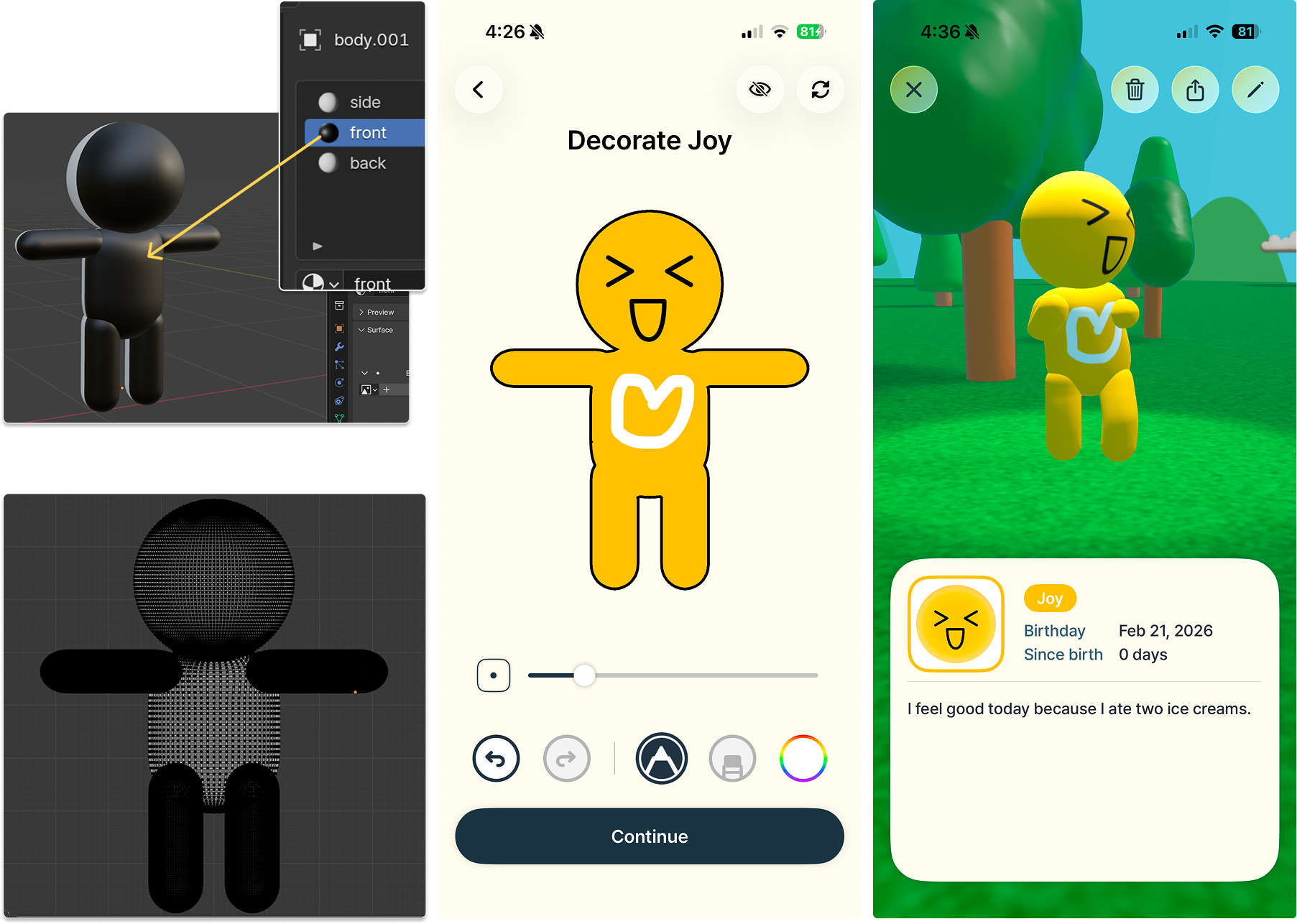 Process of applying user-drawn pictures as textures
Motion
MyMallow has 195 built-in motions across various categories. Built-in motions were implemented by applying animations provided by Mixamo to custom models.
If a desired motion is not available, we provide a feature to create your own motion using motion capture technology. This was implemented using the Body Position Tracking technology built into Apple ARKit.
The bone structures supported by Mixamo and Apple’s Body Position Tracking technology are different. Mixamo uses 65 bones, while Apple’s ARBodyTracking model uses 91 bones.
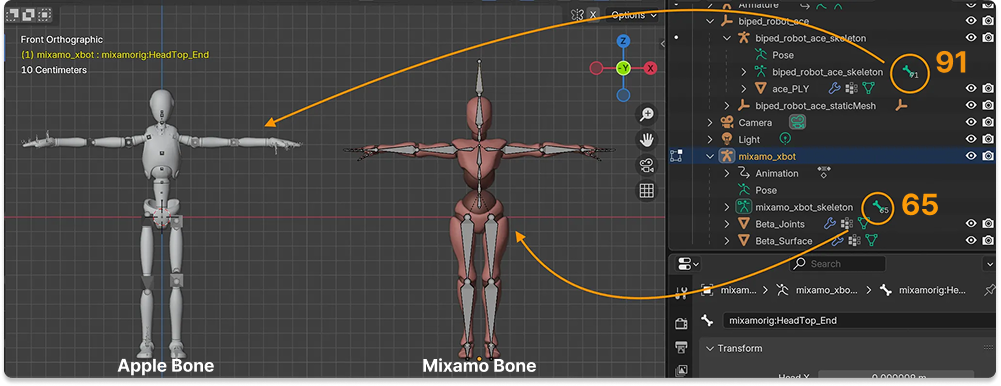 Difference between Mixamo & Apple Bones
To apply motion to a custom-made 3D model, rigging (the process of setting up a skeleton structure and control system to make it move) is essential. We attempted to integrate both models into a single bone structure, but because the process of precisely aligning joint angles was difficult, we implemented it by swapping models rigged for each bone structure depending on the situation.
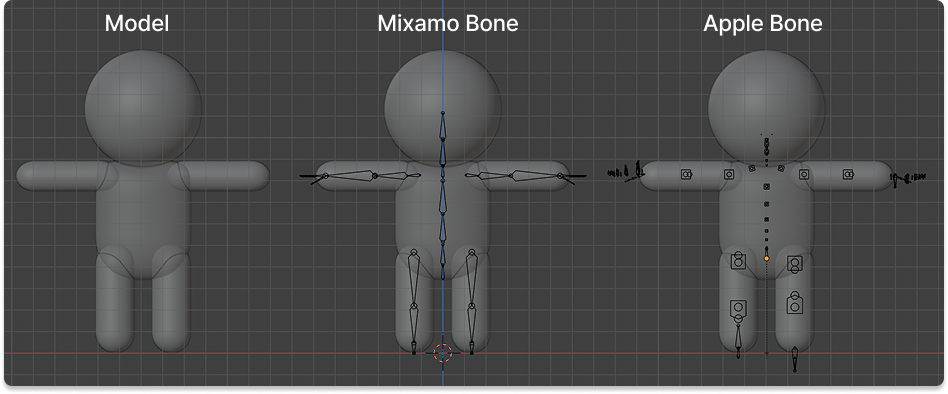 Mixamo & Apple Bone Rigging
Applying captured motion as-is can result in somewhat unnatural movement. To compensate for this, we added features to interpolate position movement using a Low-pass filter and correct rotation values using a Spherical Linear Interpolation (Slerp) filter. Additionally, we implemented a feature to edit captured motions to the desired length.
Seeing my emotion characters dancing together feels great. 💃🕺
Particle
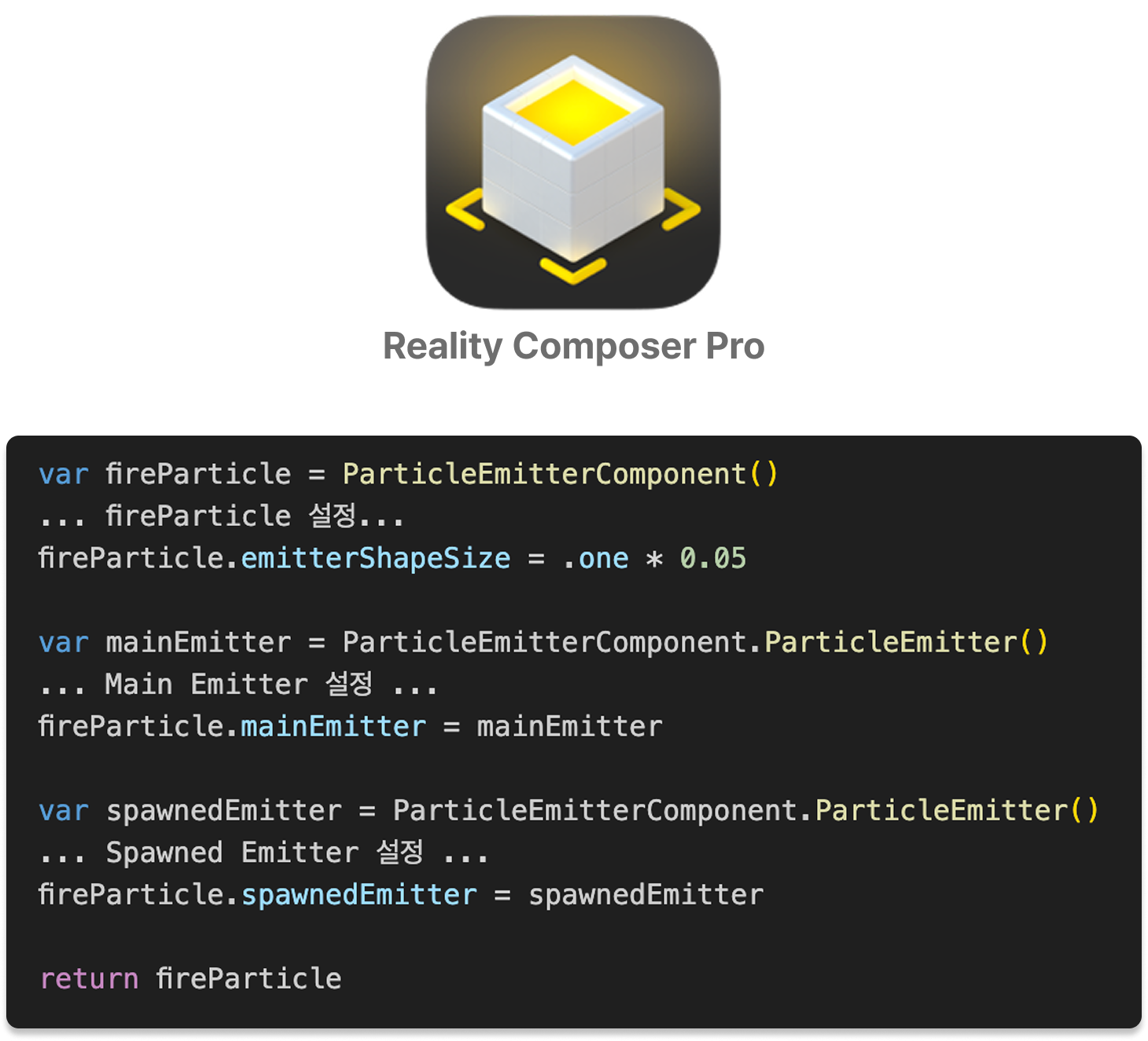
RealityKit supports a Particle component that can create effects like snow, rain, and fire. These can be designed in Reality Composer Pro or implemented directly through code. Especially since it supports Spatial Audio, we set it up so that as you get closer to the campfire, you can realistically hear the ‘crackling’ sound of the logs burning. 🔥
 Reality Composer Pro
Skybox
 Skybox
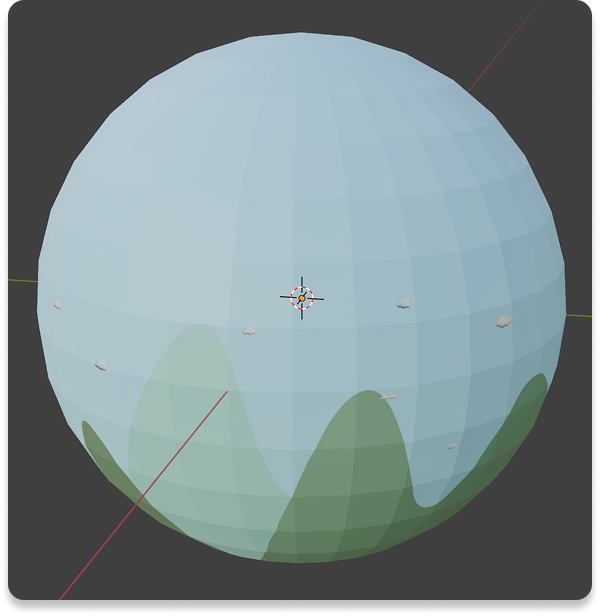
The background was implemented as a Skybox using custom-made images. A Skybox is a cube-shaped texture that surrounds the scene’s background, allowing for a 360° omnidirectional view through a camera located inside the cube.
Images can be created with a 2:1 aspect ratio; please refer to the official documentation for more details.
Physics Simulation
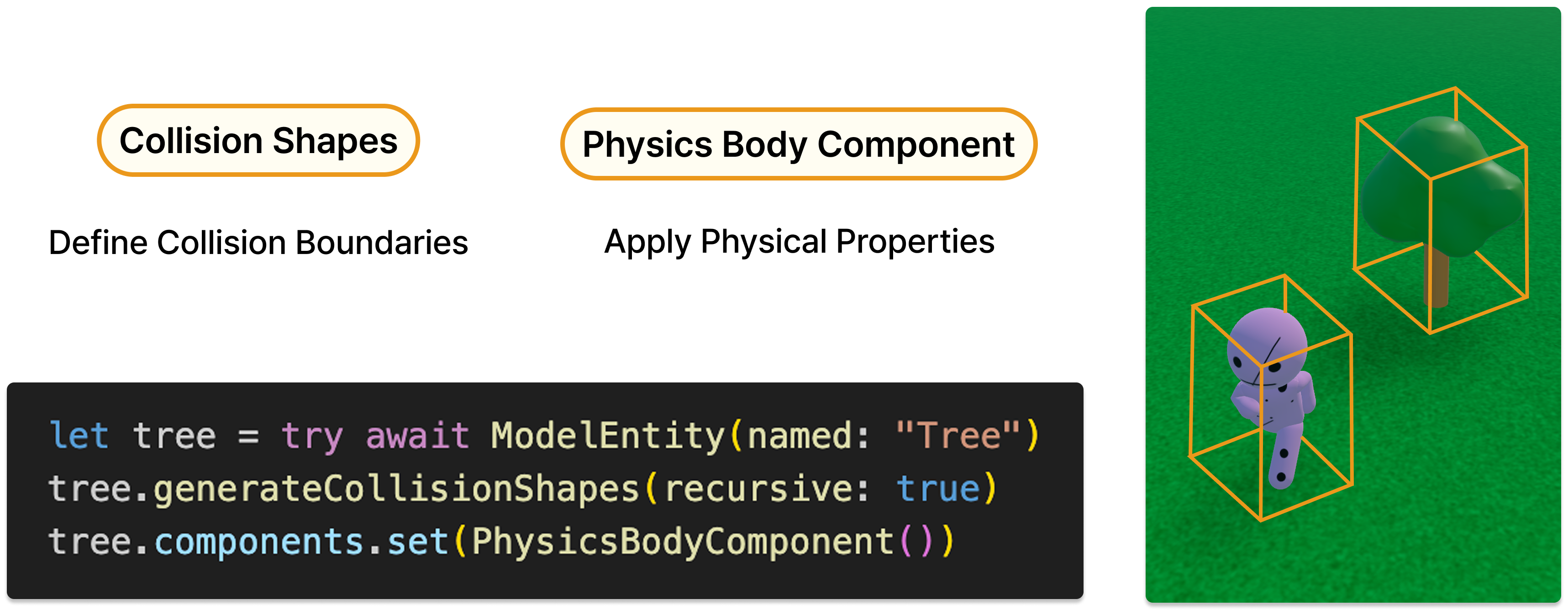
You can implement collision physics simulations using RealityKit’s Collision Detection. By specifying collision detection boundaries with Collision Shapes and applying a Physics Body, the physics simulation is activated.
 Physics
GameplayKit provides features such as pathfinding and character state management, making characters behave autonomously as if they were living NPCs. Using it alongside RealityKit is very effective.
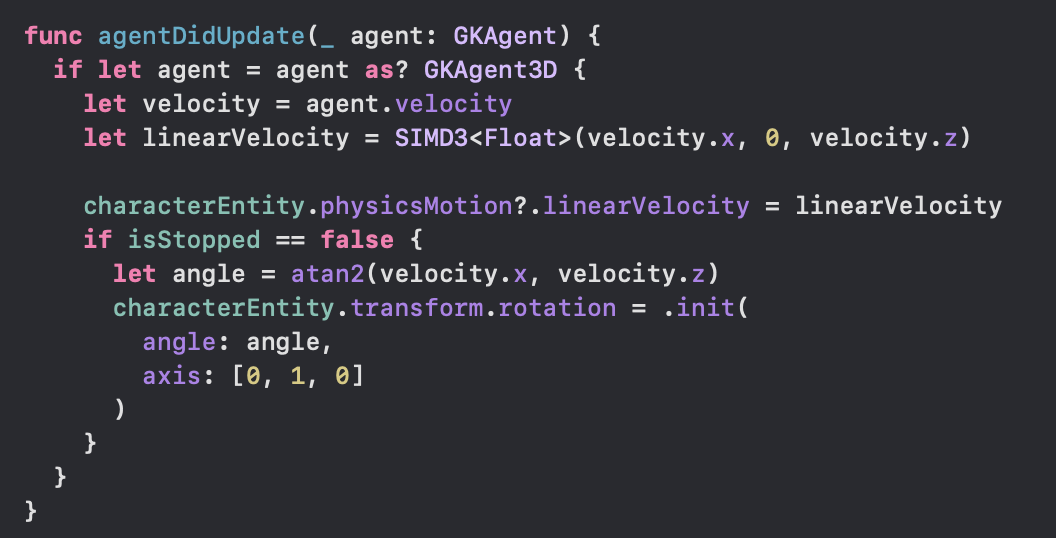
In a 3D scene where physics laws are applied, character movement should be implemented by applying velocity or force (Velocity & Force) for the physics engine to work correctly. Directly modifying coordinates (Position) can lead to issues where characters pass through walls, reducing the realism of the physics simulation.
 Agent state update code
Using a State Machine, characters can perform context-appropriate actions when they approach specific locations. For example, we designed them to automatically transition to a sitting or dancing state when they reach near the campfire. Furthermore, by finely tuning state transition conditions and movement logic, we controlled the characters to roam the map harmoniously without colliding with each other.
Demonstration
Finishing
This project proceeded not by starting from a specific user pain point, but by exploring the technology of RealityKit and contemplating what value could be created using it. Considering the sustainability of 3D content apps, “delegating content production to the user” was set as the core planning direction. The process of deeply integrating various technologies, from RealityKit to 3D modeling, rigging, GameplayKit, and ARKit motion capture, was very enjoyable.
MyMallow - Facing Your Inner Emotions
👉 App Store
👉 Dev Journey
👉 Project Wiki