
YAKSOK - A Medicine Identification App for the Visually Impaired
Table of Contents
- YAKSOK - A Medicine Identification App for the Visually Impaired
- Problems with Existing Solutions
- Design
- Core Features
- On-Device AI
- Demo
- Closing Thoughts
An on-device AI medicine identification app built for the visually impaired.
👉 한국어 버전
YAKSOK - A Medicine Identification App for the Visually Impaired
From identifying medicine and expiration dates to easy-to-understand AI medication guides, meet YAKSOK.
👉 Homepage
👉 App Store
👉 Play Store
YAKSOK was developed as part of the 3rd Seoul Youth Planning Volunteer Corps, a joint project between the Seoul Volunteer Center and the National Evidence-based Healthcare Collaborating Agency (NECA).
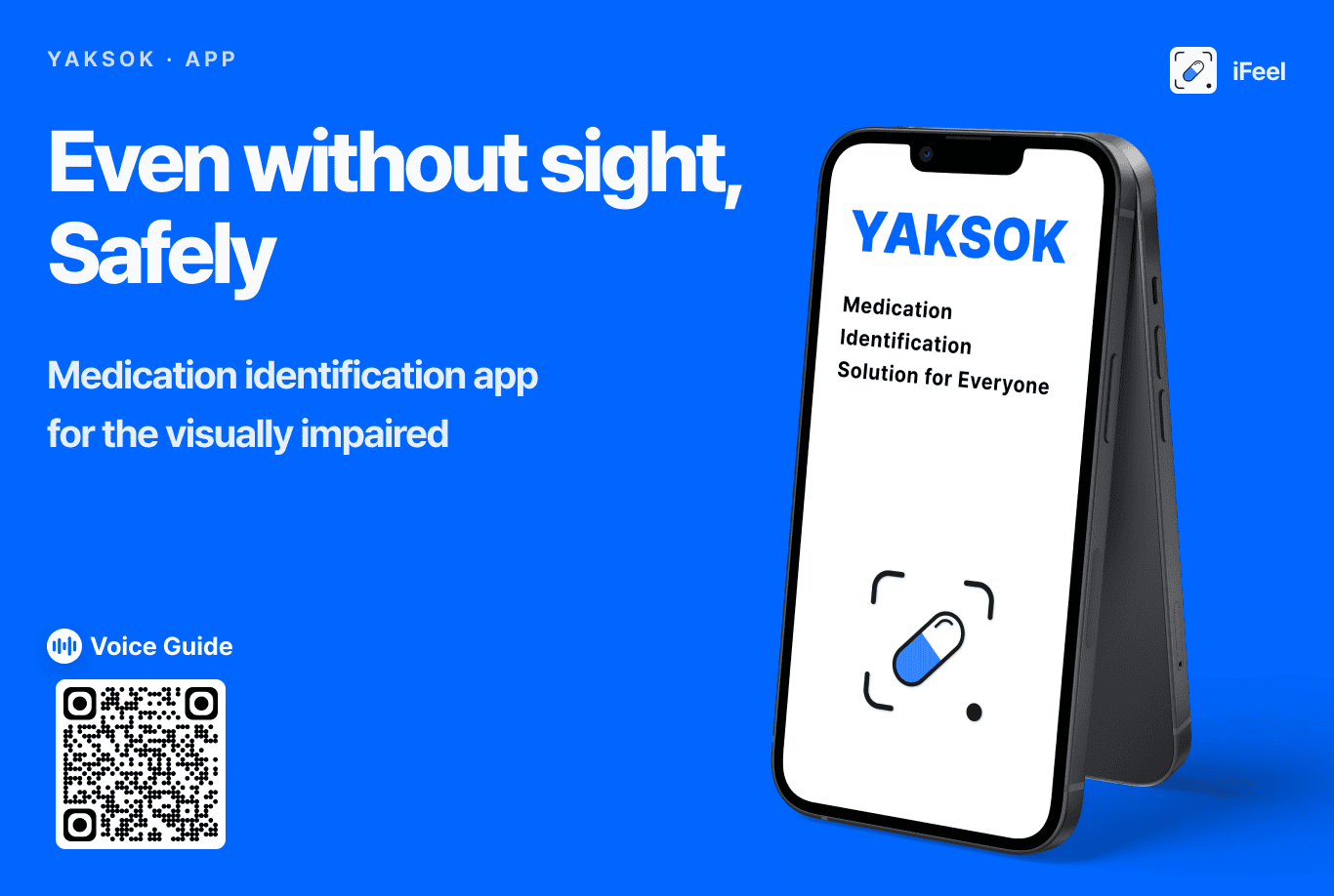 YAKSOK, a medicine identification app for the visually impaired
How do visually impaired people identify and take their medicine? As of 2026, out of roughly 40,000 types of medicine in Korea, only 0.1% carry Braille labeling. Even then, the Braille only spells out the drug’s name, leaving dosage instructions and expiration dates completely inaccessible.
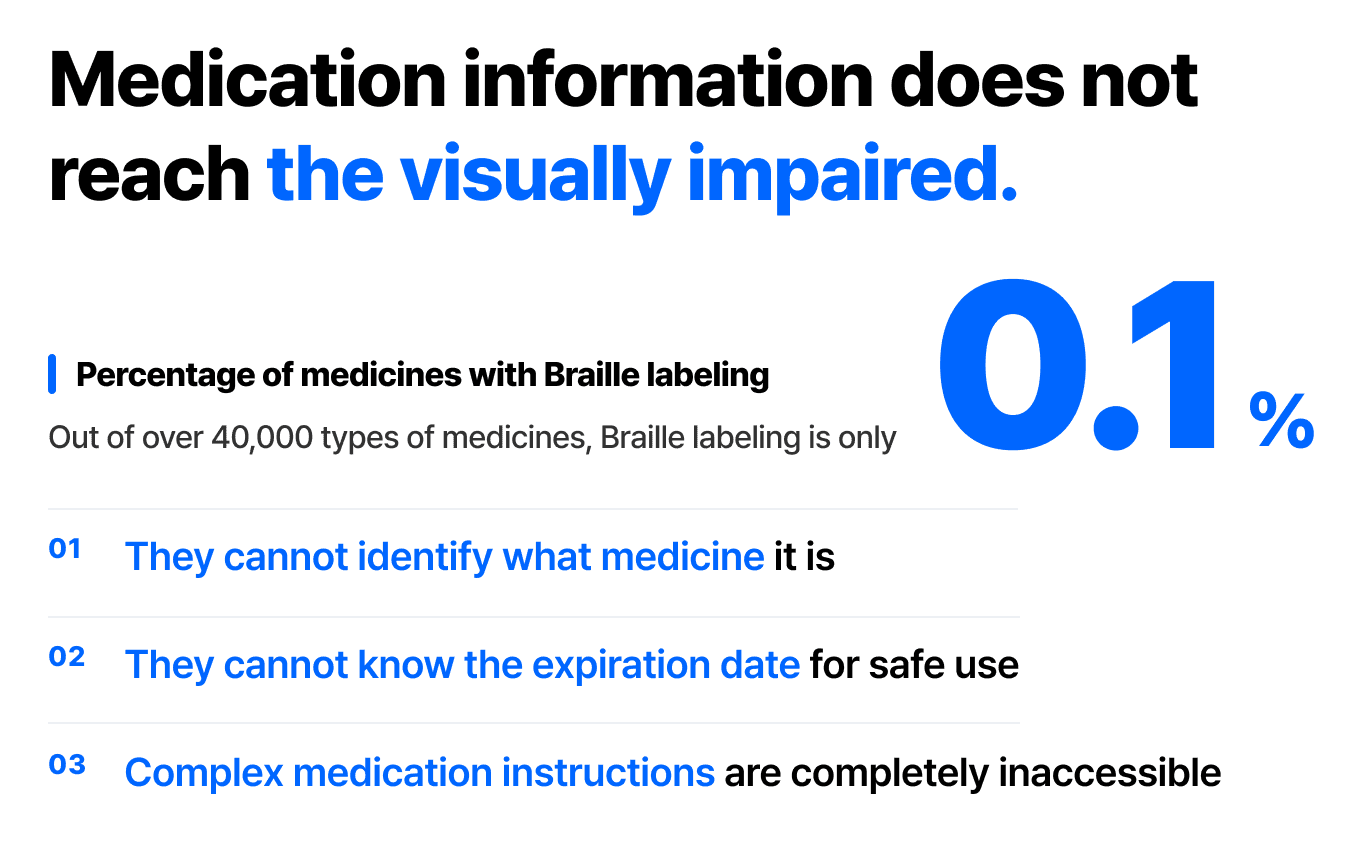 Why YAKSOK
This risk is compounding into a society-wide problem alongside rapid population aging. From older adults with declining eyesight to people taking ten or more medications a day, information that is overwhelmingly text-based is cutting off access to medicine for those who need it most and threatening their health and safety.
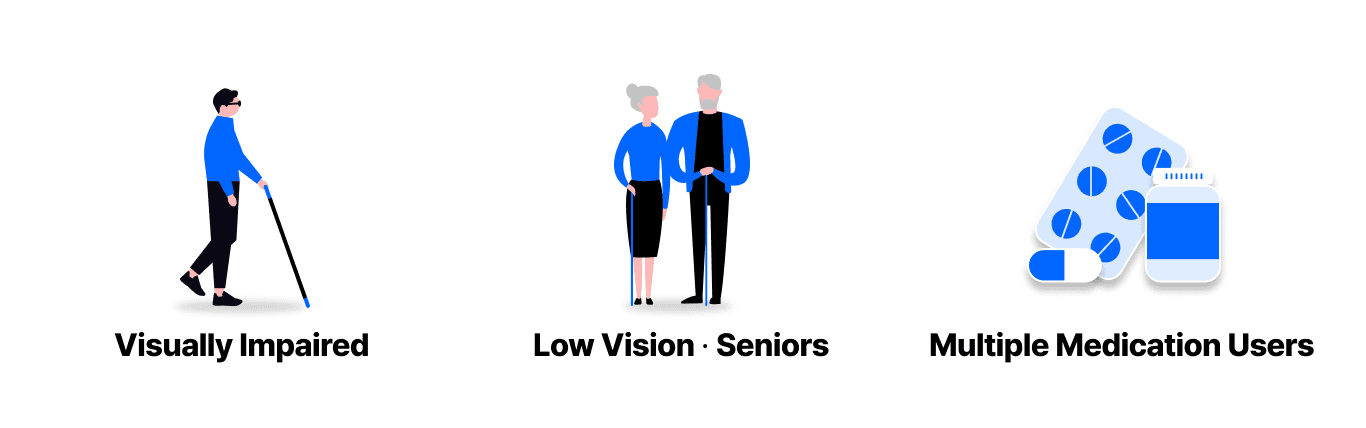 YAKSOK was built to help visually impaired people, older adults, and people on multiple medications take their medicine safely.
A survey of 41 visually impaired people confirmed exactly this difficulty. Most respondents reported significant trouble with identifying medicine, understanding dosage instructions, and checking expiration dates.
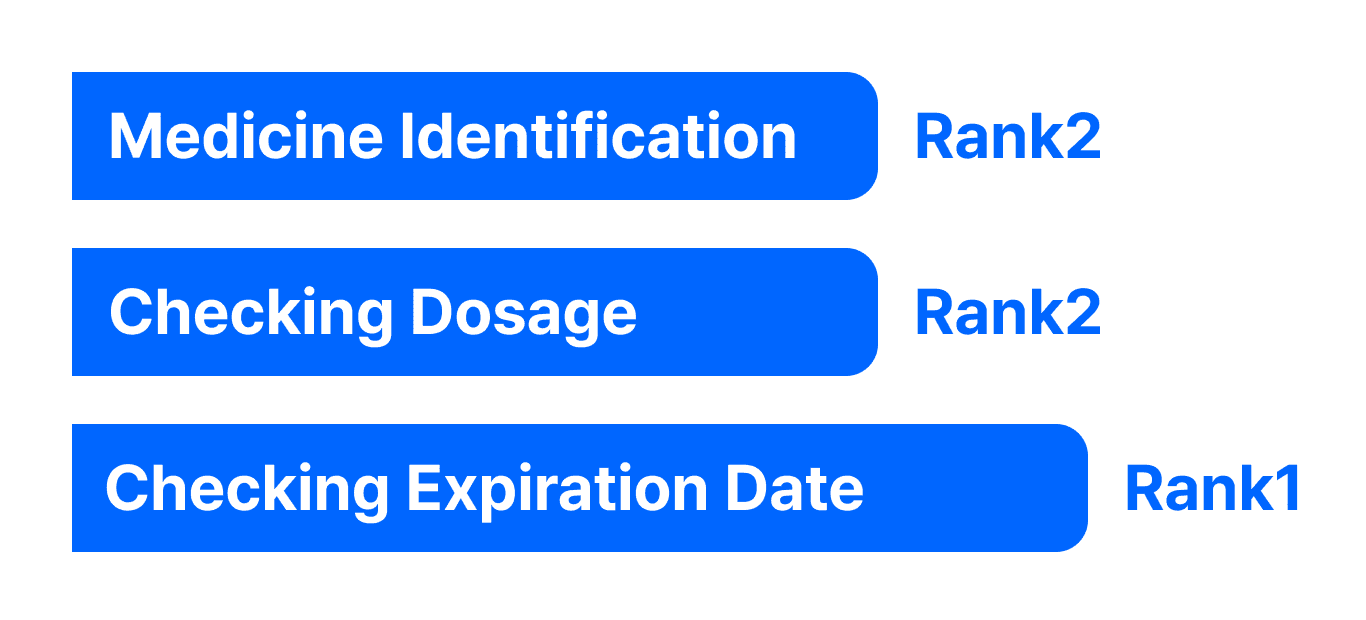 Difficulties reported by 41 visually impaired respondents when taking medicine
Even more concerning: more than half of respondents said they had either taken the wrong medicine or given up on taking medicine altogether because of these problems.
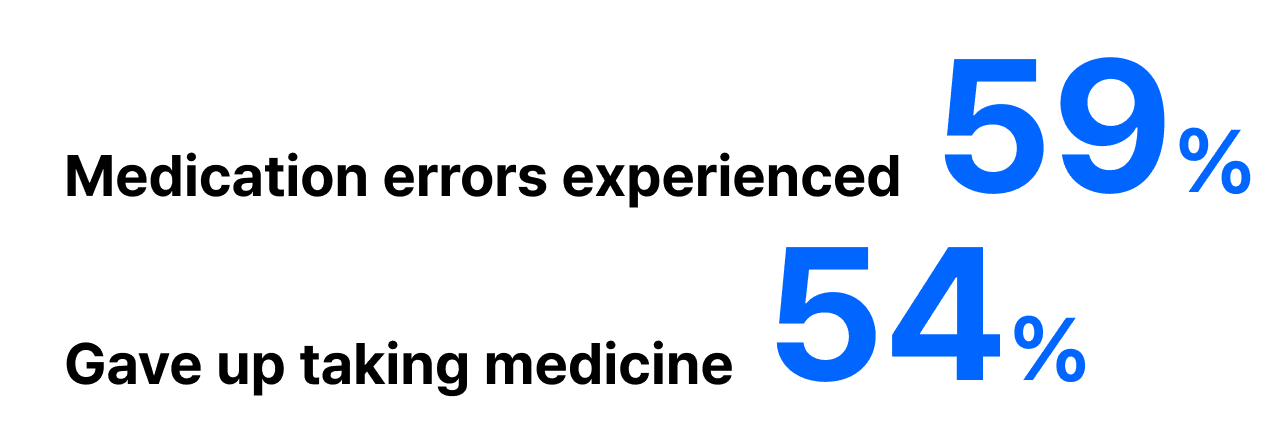 Experience with medication errors or giving up on medication
Problems with Existing Solutions
So how are visually impaired people currently coping with these difficulties?
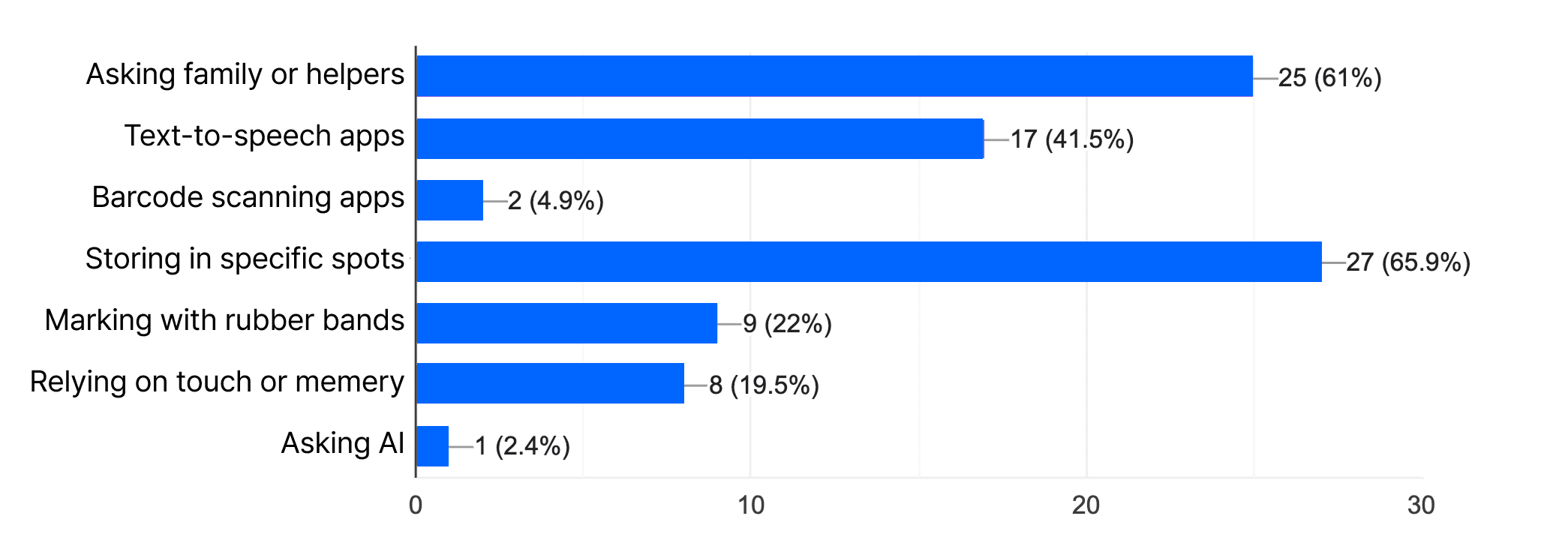 Methods visually impaired people use to tell medicines apart
According to the survey, the most common responses were “storing medicine in a specific spot (65.9%)” and “getting help from family or a personal care assistant (61%).”
In other words, people either rely on the personal habit of always putting medicine back in the same place, or find it very difficult to tell medicines apart on their own without help. Many try smartphone apps, rubber bands or tape markers, or relying on touch and memory, but none of these have become a safe, fundamental solution.
One notable finding was that using a smartphone’s text-reading feature (41.5%) was also a fairly common response. That raised a question: if a phone can read text aloud, it should also be able to read expiration dates — so why was checking the expiration date the most commonly cited pain point? To find out, we ran our own technical verification.
The Limits of OCR
We tested OCR (Optical Character Recognition) against 161 real medicine OCR samples, and 20% could not be recognized at all. Most failures came from glare on plastic packaging or embossed dates with unclear edges, which meant overcoming this technical limitation would require far more precise recognition technology.
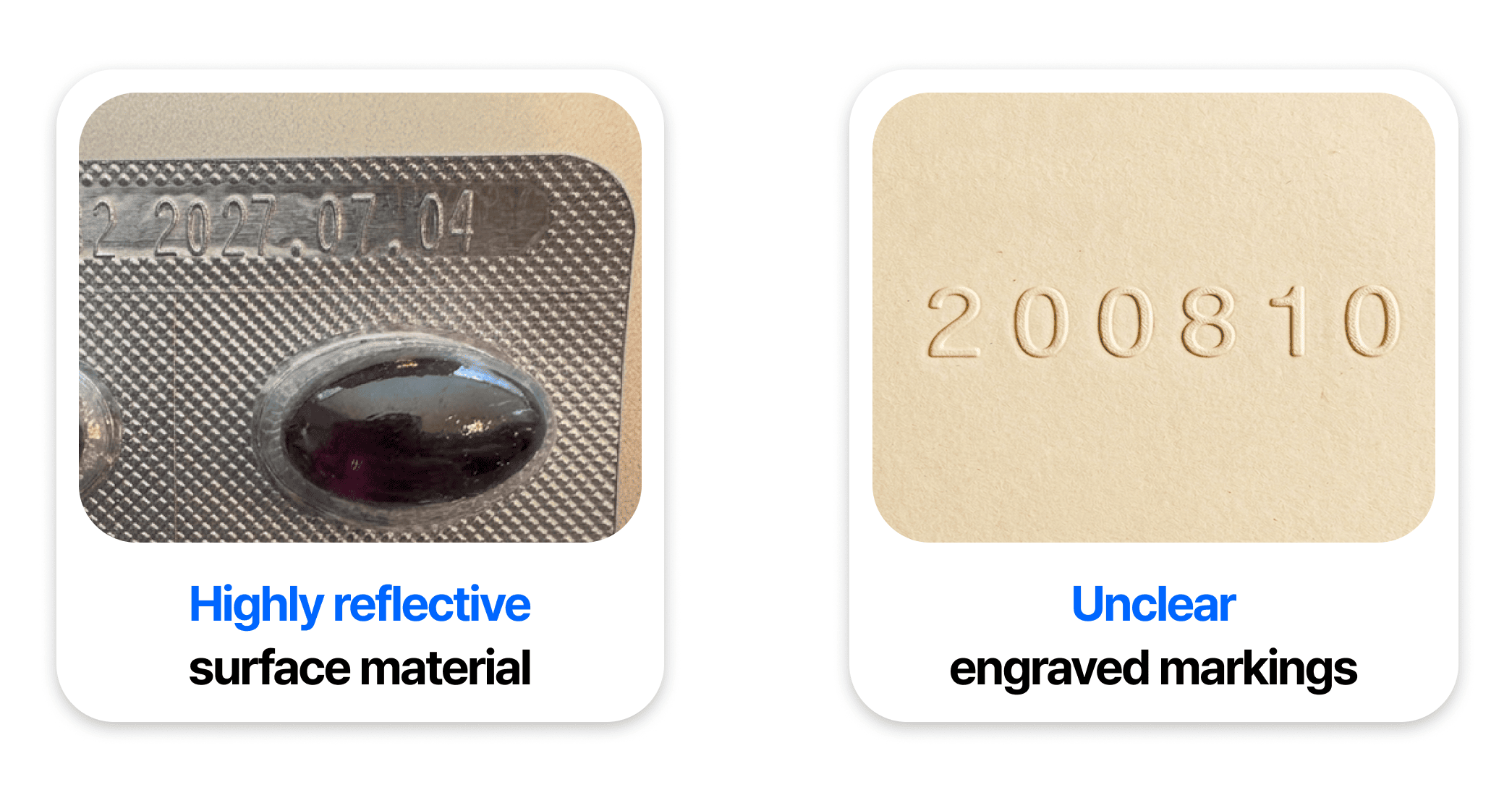 OCR performance issues
A Frustrating User Experience
An 80% recognition rate might sound “good enough” at first glance. But even setting recognition accuracy aside, existing OCR apps have a UX that’s genuinely difficult for visually impaired users. There are three reasons why.
First, taking the photo itself is hard. Where the camera is pointed, whether the subject is at the right distance, whether it’s in focus — all of this information depends on sight. For a visually impaired person, the very first step of taking a photo is already a major barrier.
Second, these apps don’t read only the information you want. Existing OCR apps read everything printed in the photo, start to finish. The user only wants the expiration date, but they have to sift through a flood of unnecessary spoken information to find it, which is exhausting.
Third, the position of the expiration date and barcode isn’t standardized. Every medicine box prints this information in a different spot, with no Braille or tactile marking to guide the way. Users are left to photograph all six sides of the box one by one, listening to voice feedback each time — repeating the process up to six times.
Together, the difficulty of taking photos, the noise of unnecessary readouts, and the lack of a standard label position create an extreme accessibility barrier for visually impaired users — making a dedicated solution urgently needed.
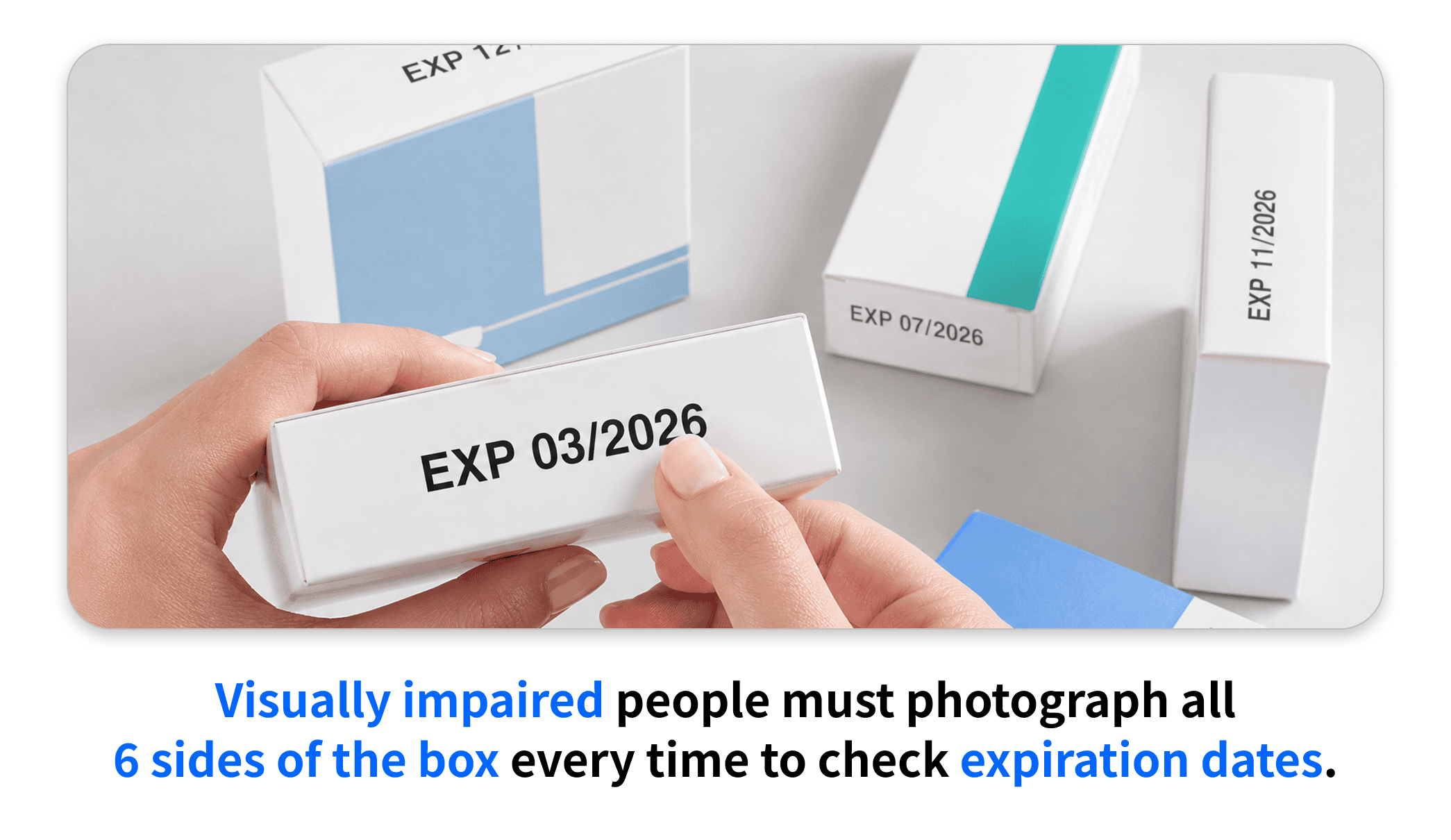 Expiration date labels appear in a different spot on every box
Design
YAKSOK’s design started from a single principle: “make it easy to see.” Among visually impaired users, many have low vision rather than total blindness, and small text or a dim screen is also a major barrier for older adults and people on multiple medications. So instead of visual flair, we made readability the first design priority.
The design draws inspiration from simple, typography-driven magazines, letting the text itself become the center of the screen. We stripped away decoration and used font size and weight alone to convey information hierarchy, and we support variable fonts for low-vision users.
Colors were defined with a contrast ratio meeting or exceeding WCAG AA (4.5:1), and the app supports both light and dark mode. Since people take medicine in all kinds of environments — from spaces with heavy glare to dark rooms — it was important that text stay legible no matter the lighting.
For screens that are hard to navigate with a screen reader, we added a voice guide button, so onboarding can be completed just by pressing one button and listening.
To make sure screen reader users never lose their bearings through sound alone, we focused on three things.
Preventing TTS and screen reader audio from overlapping
- In our previous project Guita, we avoided overlapping audio by simply disabling TTS whenever the screen reader was on.
- This time, TTS voice guidance is a core feature, so instead we stop any playing TTS the moment screen reader focus moves.
Keeping accessibility labels as concise as possible
- Screen reader users must listen to information one piece at a time, so longer labels mean a longer wait before reaching the information they actually want.
- We kept only the essential information to minimize navigation fatigue.
Fixing focus order on every page transition
- On navigating to a new page, focus always moves in the order
title→back button. - This tells the user what screen they’re on first, then lets them predict exactly where to go to return.
Core Features
On top of this refined interface, we built features that all trace back to a single question: “How can someone take their medicine safely and comfortably, without needing anyone else’s help?” From that question came YAKSOK’s four core features:
- Medicine identification via barcode scan
- Fast, accurate expiration date detection
- Easy-to-understand medication guides
- Photo description
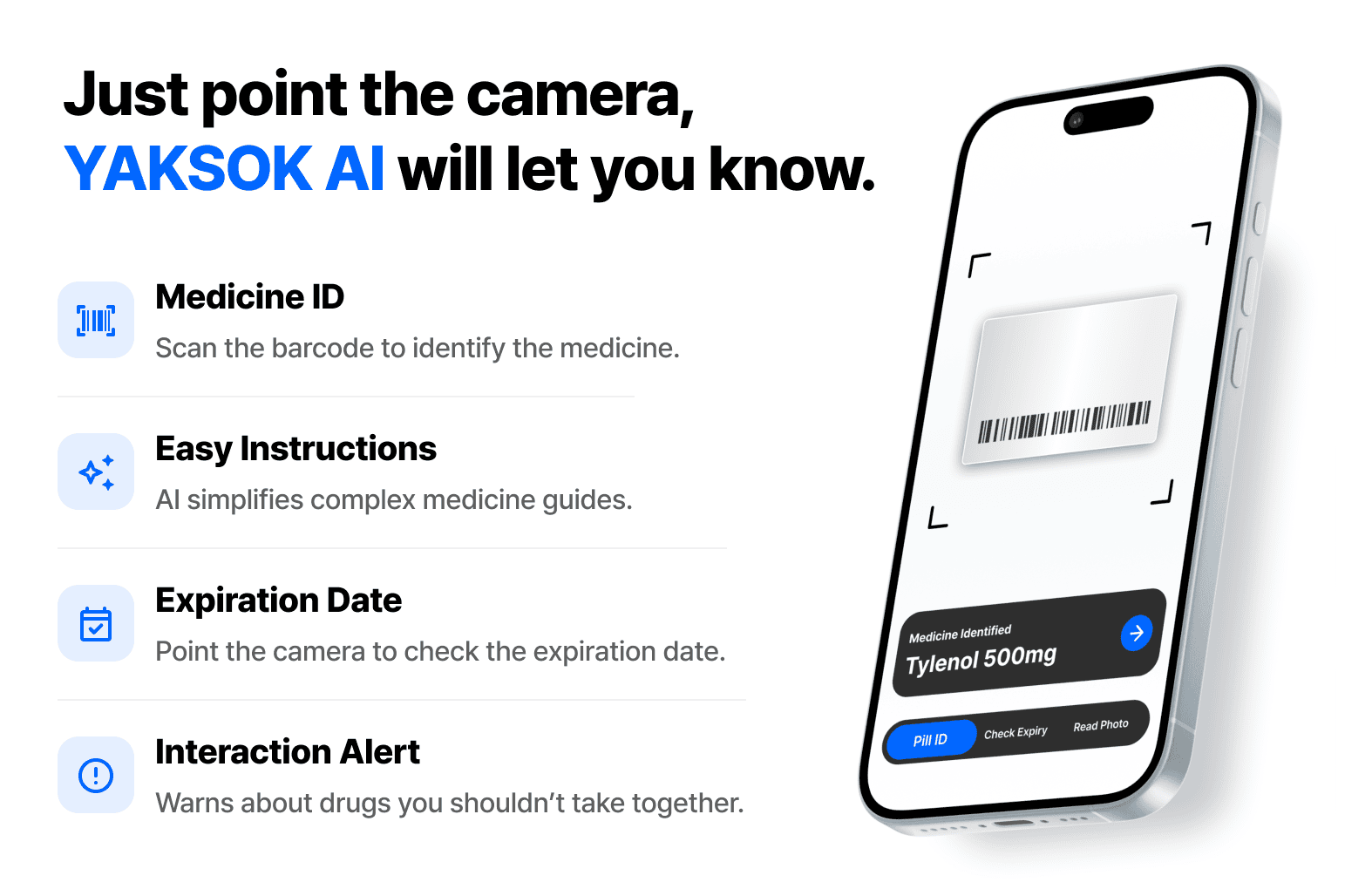 The four core features of YAKSOK
Medicine Identification
Barcode scanning starts the moment you open the app. There’s no shutter button to press — scanning happens in real time, so the instant a barcode enters the camera’s view, the app identifies the medicine and reads its name aloud via TTS (Text To Speech).
Identification is powered by the Ministry of Food and Drug Safety’s Drug Product Approval Detail Information API. Using the QR code or barcode on the packaging, it can identify 41,442 medicines.
Since the public data portal’s API frequently goes down, we built our own API server for a stable service and set up batch jobs to periodically refresh new data. Once a medicine has been identified, it’s also cached locally, so it can be identified again even offline.
Easy-to-Understand Medication Guides
Once a medicine is identified, users can view its package insert, choosing between an AI-translated, plain-language explanation and the original text.
The plain-language translation behaves differently depending on whether on-device AI is installed. If it isn’t installed, the app uses the Gemini API; if it is, translation runs on-device using the Gemma4 E2B model.
Users can also check for drug interaction warnings — medicines that shouldn’t be taken together with the one identified. This uses the Ministry of Food and Drug Safety’s DUR Product Information API, and the app alerts users if any medicines identified on the current device have a known interaction.
Pressing the voice guide button reads the entire content aloud.
Expiration Date Detection
Checking the expiration date also requires no shutter button — as soon as a date appears in the camera view, it’s automatically scanned, checked, and read aloud via TTS.
When on-device AI is turned off, dates are extracted by running OCR results through rule-based checks. When it’s turned on, the Gemma4 E2B model analyzes the image directly to extract the date.
In testing against 161 real medicine OCR samples, Gemma4 E2B achieved a 93% recognition rate — a 13-point improvement over standard OCR (80%).
Photo Description
This feature describes a photo the user has taken out loud.
When on-device AI is turned off, the app reads any text in the photo via OCR, to keep costs down. When it’s turned on, the Gemma4 E2B model describes the photo’s visual layout and context as if a docent were narrating it right next to you.
Note that having the AI model analyze an image takes a bit of time — around 5 to 10 seconds on an iPhone 16.
On-Device AI
To support both Android and iOS, the app was built with Flutter. For the on-device AI model, we chose Gemma4 E2B, a multimodal model that handles both images and text. Since features like expiration date detection and photo description depend directly on image input, multimodal support was the deciding factor in model selection.
Our own testing showed that running the AI model smoothly requires at least 6GB of memory. So on devices with less than 6GB, the app falls back to OCR and the Gemini API instead of on-device AI.
The model file is also fairly large at about 2.5GB, and requiring users to keep the app open until the download finishes would be a real barrier. To solve this, we implemented background downloads that continue even after leaving the app, along with resumable downloads so a dropped connection doesn’t force users to start over.
Adopting on-device AI gave us the following benefits:
- Offline support - AI features work without an internet connection.
- Lower cost - No AI token costs, so the feature can be offered to users for free.
- Privacy - Photos taken by the user never leave the device.
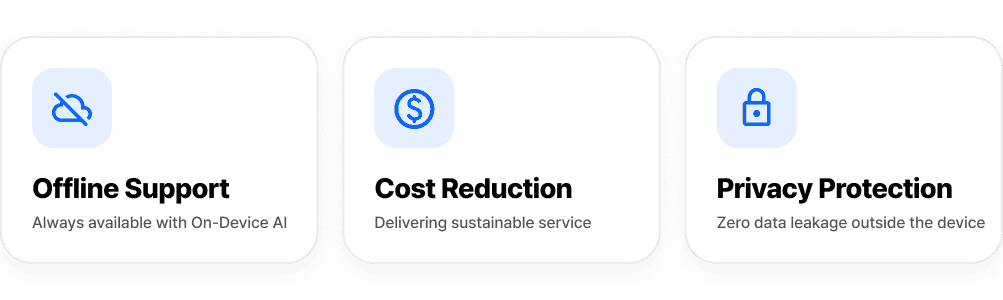 For everyone, everywhere, safely
Demo
Closing Thoughts
The biggest lesson from building YAKSOK is that teaching people how to use an app matters just as much as building the app itself. Not every visually impaired person is comfortable using a screen reader, so learning a brand-new app without anyone’s help was far from easy. That’s why we made onboarding accessible with a single voice guide button, and why we also held demo sessions at a shelter for the visually impaired to walk people through YAKSOK in person.
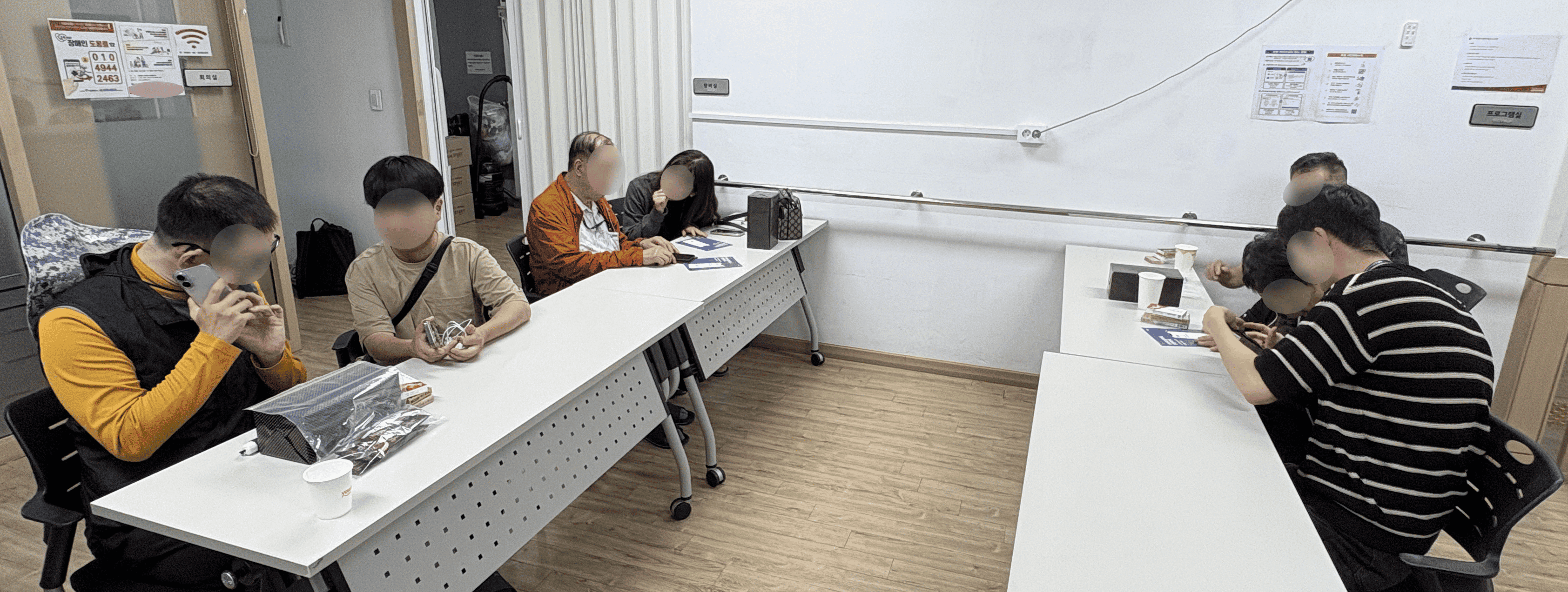 A demo session held together with NECA
This project was carried out together with the Seoul Volunteer Center and NECA (National Evidence-based Healthcare Collaborating Agency). NECA supported our demo sessions with volunteers and donated 90 bottles of hand sanitizer, and also published a blog post promoting the app. Thanks to everyone who took part, this app was able to reach the people who actually need it.
 A project with the Seoul Volunteer Center & NECA
At the demo sessions, what visually impaired participants struggled with most wasn’t operating the app itself, but finding the non-standardized barcode and expiration date positions on each medicine box. So during the sessions, we guided people by attaching tactile stickers at the barcode and expiration date locations to make them easier to find. No matter how well the app recognizes things, if you can’t tell where to point the camera in the first place, you’re stuck at the very first step. This isn’t something any single app can solve on its own — it made us hope that a social standard for label placement will eventually emerge.
It was also great to get hands-on experience with on-device AI in this project. The technology is still constrained by device limitations today, but it’s steadily gaining traction, and as devices and models keep improving, we expect more users will be able to safely get AI’s help even while offline.
We hope YAKSOK can be of some help to visually impaired people, older adults, and people on multiple medications in taking their medicine safely. (Since YAKSOK can only identify medicines approved for sale in Korea, it is currently available only on the Korean app stores.)
YAKSOK - A Medicine Identification App for the Visually Impaired
👉 Homepage
👉 App Store
👉 Play Store