
Tadak - Your Personal White Noise Player
Table of Contents
- Tadak - Your Personal White Noise Player
- Design
- Customizable Spatial Audio
- Fractal Dimension
- Noise Color
- Equalizer
- Demo
- Conclusion
Introducing Tadak, your customizable white noise player.
👉 한국어 버전
Tadak - Your Personal White Noise Player
Design your own spatial audio by layering sounds to suit your taste and purpose.
👉 App Store
Tadak is an iOS project developed over three months with team members from the 4th Apple Developer Academy. It’s an app where you can create and enjoy your own sound environment by layering sounds that suit you and placing them within a 3D space.
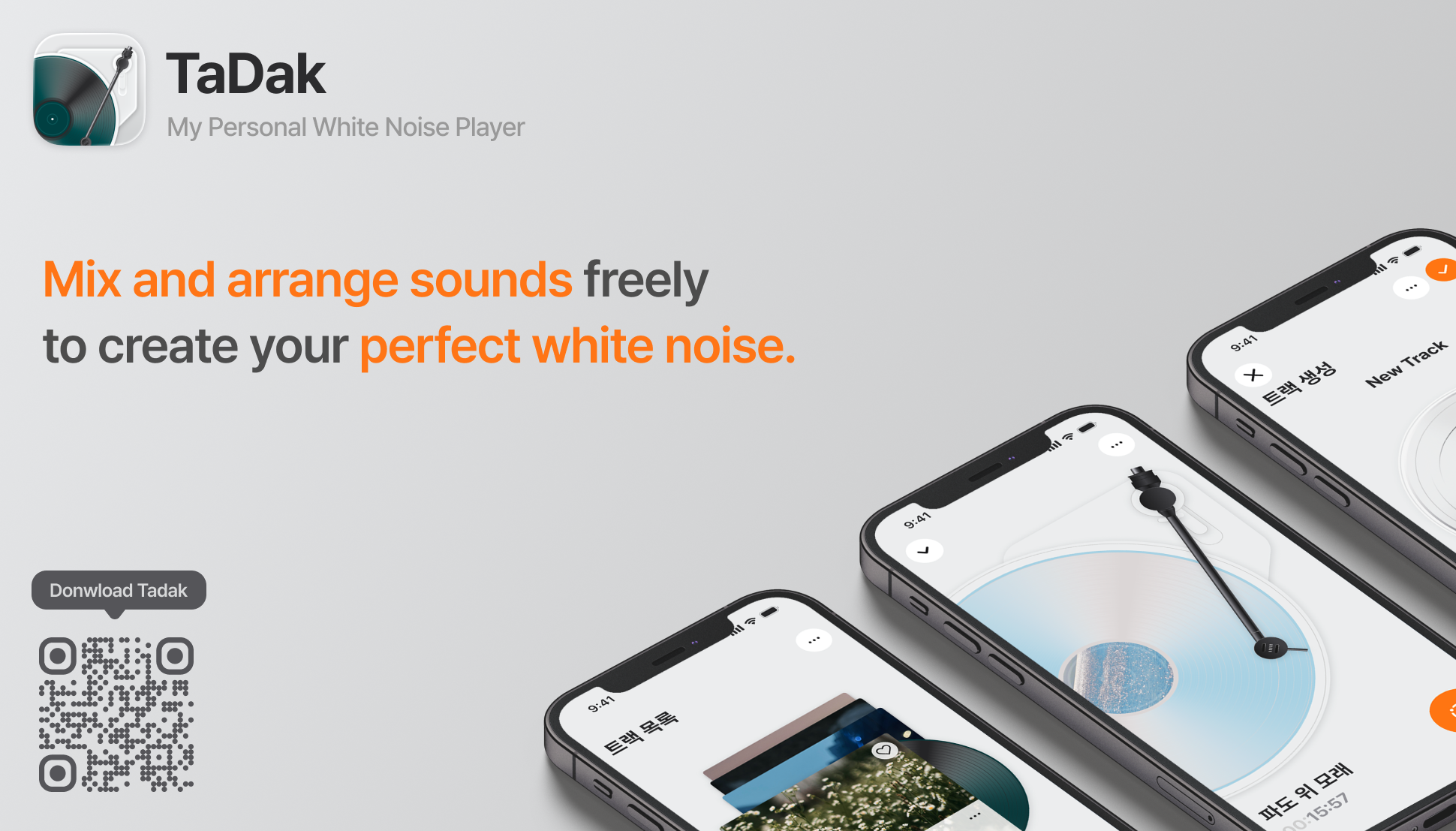 Designed with an LP record motif.
White noise is a constant sound that contains almost equal intensity across all frequency bands. This sound helps improve concentration and provides psychological stability by making sudden surrounding noises less prominent. As a result, it is used for various purposes like studying, working, aiding sleep, and alleviating tinnitus.
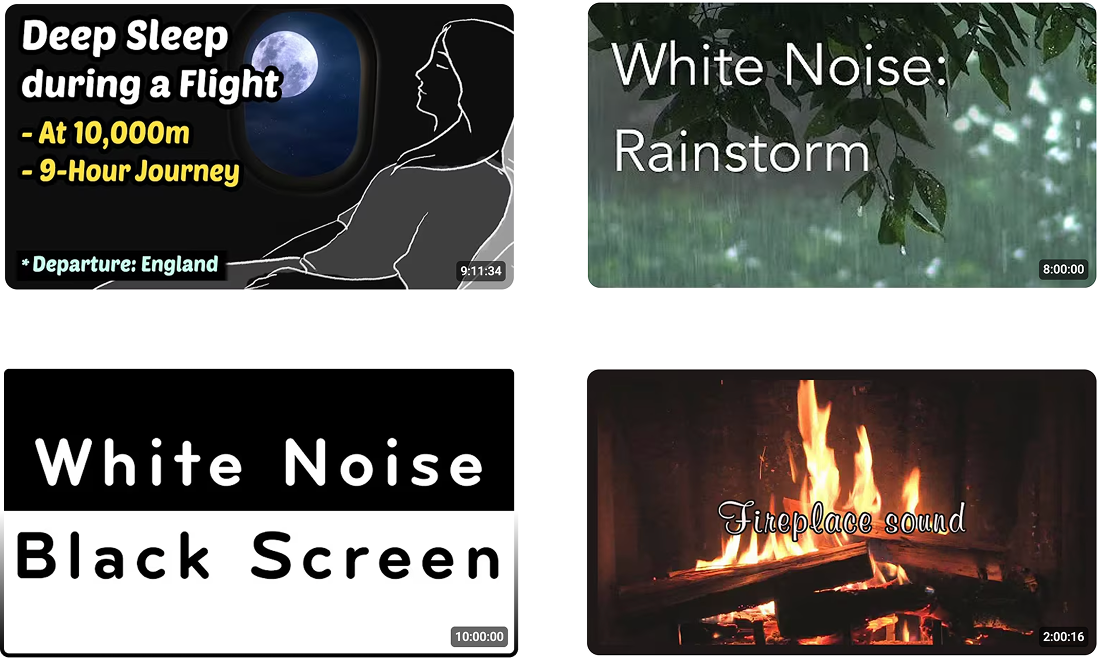 Videos that appear when searching for white noise on YouTube.
Many people look for white noise videos on YouTube. Tadak began by analyzing comments on popular white noise videos on YouTube to identify the needs of users who listen to white noise.
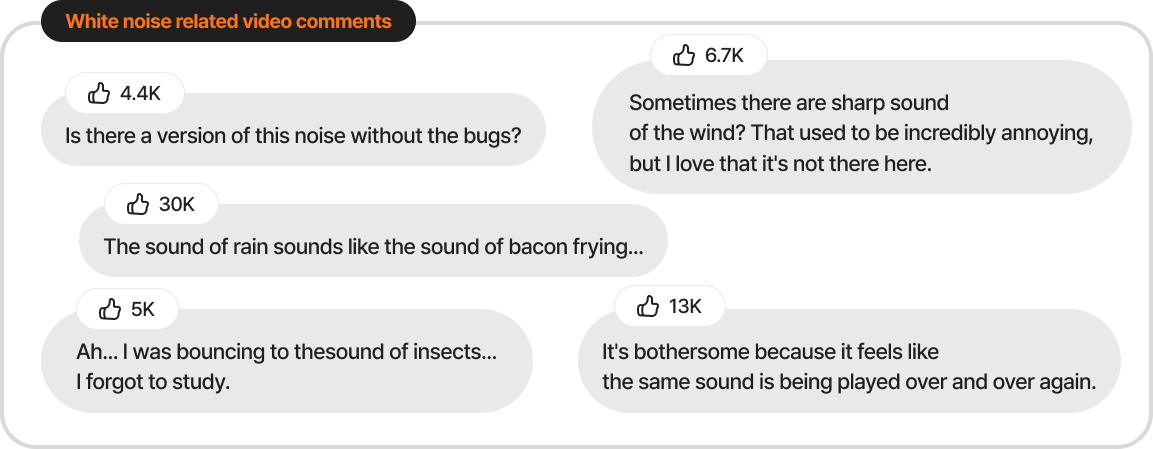 Highly liked comments from YouTube white noise videos.
The user needs derived from the YouTube comment analysis are as follows:
- Users want to add or exclude specific sounds according to their personal preferences.
- They easily notice and feel uncomfortable with sounds that sound repetitive or artificial.
- Every individual has different frequency bands where they feel comfortable.
We focused on the fact that many users want customized white noise that perfectly fits their tastes. Tadak is a service created to solve exactly this problem.
Design
On the home screen, various white noise presets are available, ranging from airplane sounds and White Christmas to the deep sea and rainy city sounds. It basically supports two layouts: Stack and Grid. We used Liquid Glass, which is supported from iOS 26, and considered compatibility so that users on versions below iOS 26 can still get the same feel.
The app is designed based on an LP record concept. When a user selects a sound source, it provides an analog experience through interactions that feel like pulling a record out of an LP cover.
In the turntable area, we implemented volume control based on the actual rotation speed of the LP record, and designed the tonearm for direct user control. Each component was implemented as an interactive element that reproduces the sensation of operating real equipment, rather than just a simple visual object.
Furthermore, we support a responsive layout for comfortable use even in the iPad’s multitasking environment. Especially on iPad, we configured the entire screen with a turntable UI to provide an immersive feeling as if operating an actual turntable.
Customizable Spatial Audio
Users don’t just select presets; they can directly customize various combinations, such as layering campfire sounds over the sound of rain or removing distracting noises.
In the center of the screen, sound sources are placed on 2D space coordinates relative to the user’s head. You can adjust the direction and distance by dragging the sound source or combine it with sound sources from other themes.
The sound sources are composed of two types, referring to R. Murray Schafer’s Soundscape Theory: Keynote sounds, which exist continuously like a background, and Sound Signals, which attract attention as events.
As a side note, according to Albert Bregman’s Auditory scene analysis theory, the maximum number of sounds a human can perceive is eight, so please keep this in mind when making combinations.
To properly experience spatial audio, please download the app and listen with AirPods or AirPods Max that support spatial audio.
Spatial audio was implemented using iOS’s PHASE (Physical Audio Spatialization Engine) framework. PHASE understands the basic context of the app’s scene and plays audio based on the scene’s characteristics, allowing for a more realistic spatial audio implementation. Using this, it’s also possible to express different reverberation and acoustic characteristics depending on the size of the space and the physical surface properties of objects.
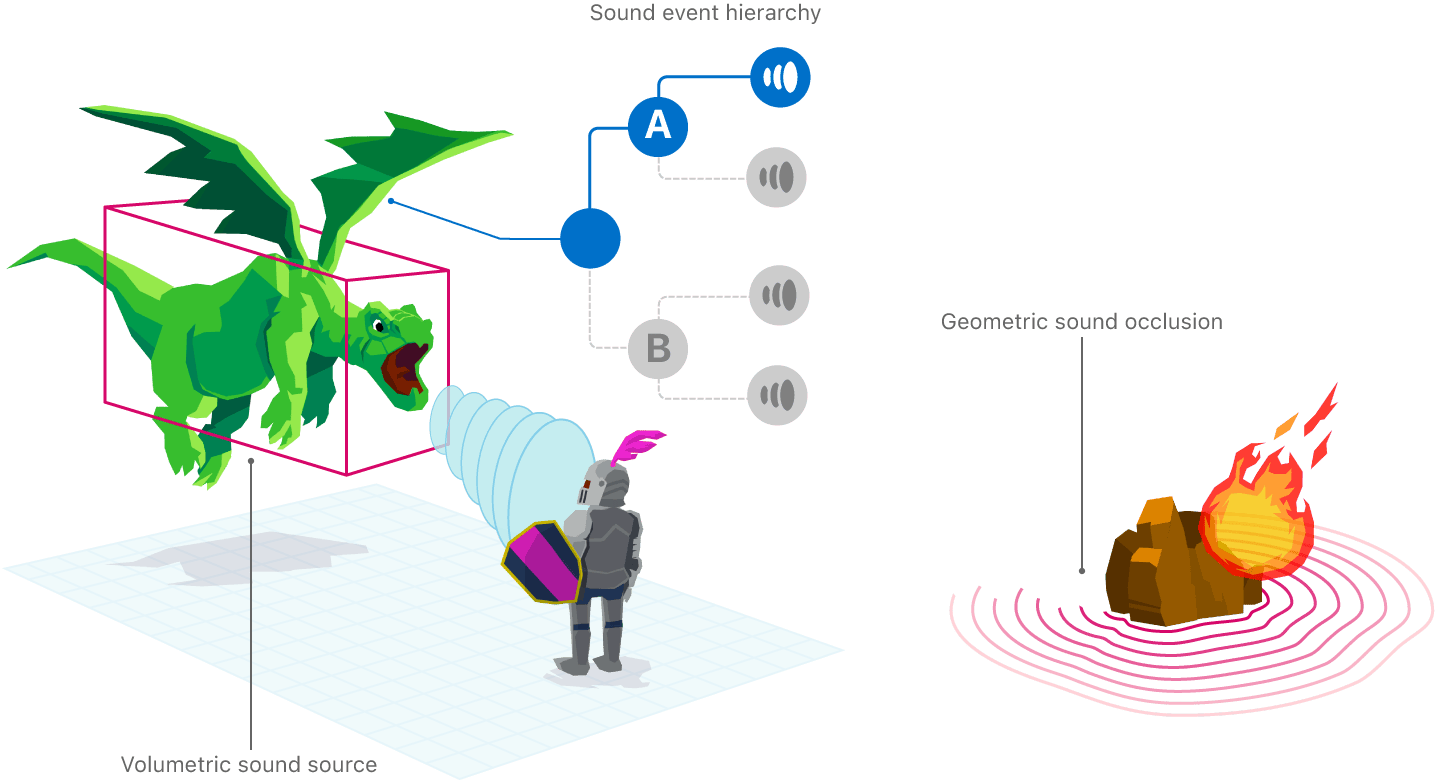 Physical Audio Spatialization Engine - Source
Fractal Dimension
Fractal Dimension is a theory that expresses how irregular and self-similar a structure is with numerical values. Analyzing sounds in nature using this theory shows that they are located in a moderately complex intermediate region, neither completely random nor close to simple periodic signals.
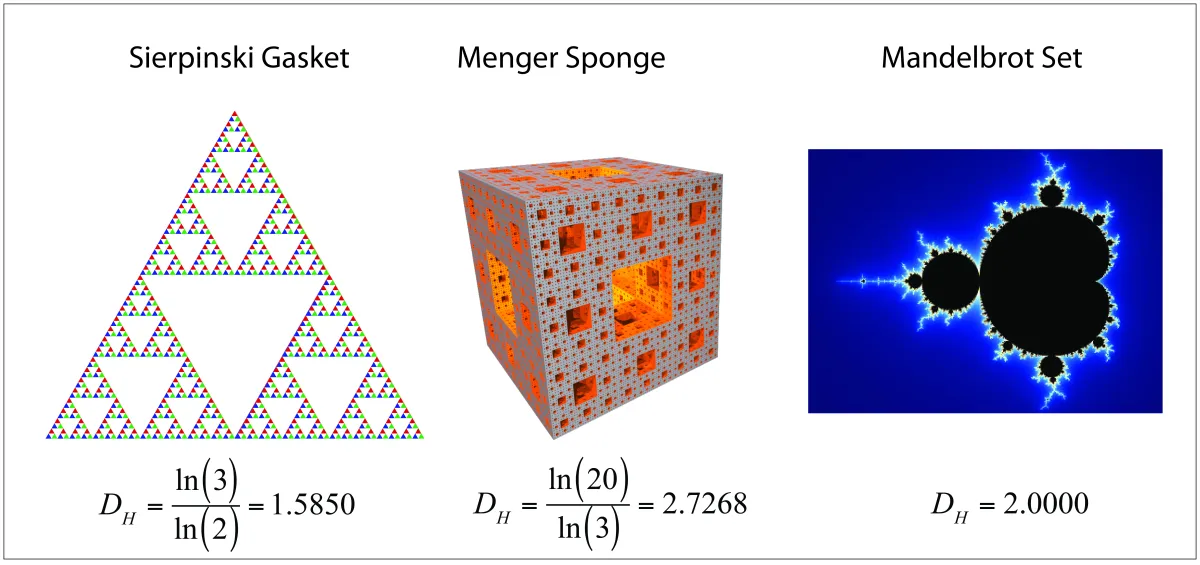 Fractal Dimension - Source
The purpose of white noise is to mask external sounds with unpredictable randomness. However, if the sound interval is too regular, it becomes a periodic signal rather than white noise, inducing pattern recognition and increasing predictability, which distracts the user’s concentration.
All Sound Signals in Tadak do not follow a fixed loop. The timing and frequency of playback are dynamically adjusted by an algorithm using fractal dimension. This erases artificial patterns and significantly reduces brain fatigue, much like not knowing when a bird will chirp in a real forest.
Noise Color
The types of sounds categorized according to which frequency bands are emphasized in the sound are called Noise Colors.
The White Noise we commonly refer to is a signal that contains almost equal energy across all frequency bands. Pink and Brown have low frequencies emphasized, while Blue and Violet have high frequencies emphasized.
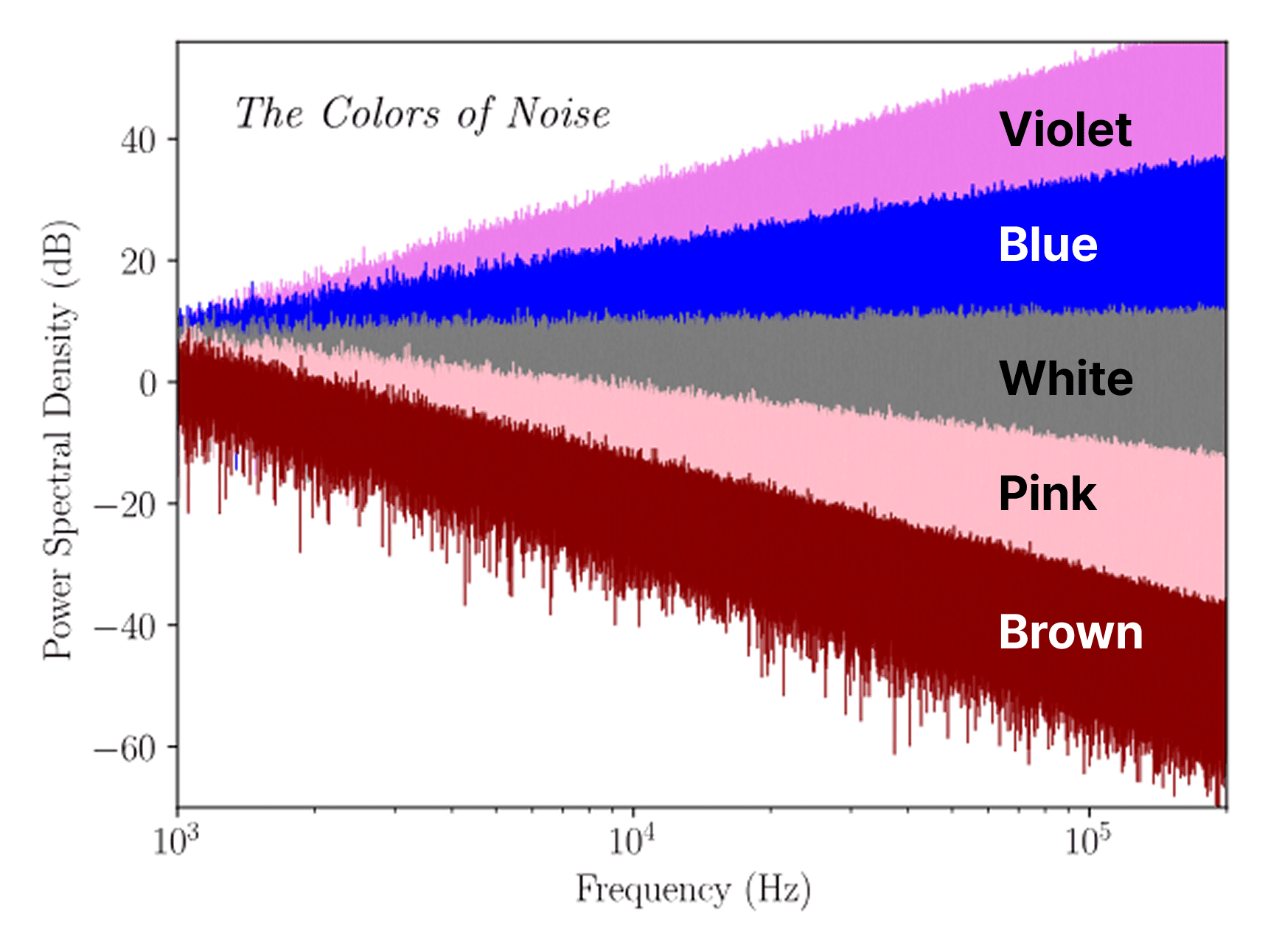 Noise Color
As such, types classified based on which frequency band is emphasized are called Noise Color, and they affect the perceived texture, fatigue, and concentration depending on which frequency band is more strongly included.
| Noise Color | Characteristics | Audible Impression |
|---|---|---|
| Violet | +6dB/oct as frequency increases | Very sharp |
| Blue | +3dB/oct as frequency increases | Bright and clear |
| White | Equal energy across all bands | Uniform |
| Pink | -3dB/oct as frequency increases | Soft and natural |
| Brown | -6dB/oct as frequency increases | Heavy with emphasized bass |
The frequency bands where individuals feel comfortable differ. Even the same rain sound can give a sense of stability to someone, but may be felt as an annoying high frequency by someone else.
Considering these individual differences, Tadak designed an equalizer structure that can adjust the frequency characteristics themselves.
Equalizer
Existing general equalizers operate by amplifying or attenuating specific bands (bass, mid, treble). In contrast, Tadak was designed to divide the sound source into short segments, convert them into the frequency domain, and directly reconstruct the spectrum characteristics based on noise color.
This process was implemented with FFT (Fast Fourier Transform)-based processing using iOS’s Accelerate(vDSP) framework. Through this, we can redesign the texture of the sound itself, rather than just performing simple “tone adjustment.”
After equalizing, we applied RMS-based gain compensation and soft clipping to prevent volume distortion or peak clipping that might occur during the frequency adjustment process.
In terms of performance, to smoothly process large audio files, we used vector operations (vDSP) to handle windowing, scaling, and accumulation processes based on SIMD, and optimized the calculation overhead by removing repetitive memory allocation.
As a result, we were able to secure near-real-time processing speeds.
Demo
Conclusion
Tadak was the final project of the 4th Apple Developer Academy, and although there were many ups and downs, we were able to learn a lot and create a high-quality result. I would like to express my gratitude to Sally, Isla, Lina, Paran, Jeje, who worked hard together, and Jason, Dora, and Sup, who helped us in many ways. 🫶🏻
Tadak - Your Personal White Noise Player
👉 App Store
👉 YouTube
👉 Project Wiki